skipped to
Residents
Test Page
Testing link to page 20.
Stay Safe when you Recreate!
There are a lot of fun activities that youth and adults participate in to keep active, including hiking, biking, swimming and winter activities to name a few. Make sure to keep your entire family safe when on a family outing. No matter what kinds of activities you choose, you can limit the number of injuries that occur and have a good safe time.
Important Tips to think about prior to planning your recreation outing:
- Stay hydrated - Always bring a water bottle with you when participating in an activity.
- Know your limits - Do not plan activities that you are not capable of doing. Planning your activities around your family’s activity level will keep injuries from occurring due to exhaustion.
- Bring a First Aid kit - You should always carry a basic first aid kit with you whenever you do any sort of outdoor recreation.
- Use protective gear - Ensure that you have the necessary equipment to do your activity.
- Keep your equipment in good shape.
The following information describes tips on how to 'play safe' by wearing the proper protective equipment and evaluating the environment for risks.
Hiking Tips
There are few things more enjoyable than getting out into nature and getting in some exercise at the same time in the form of a hike. But safety should always come first, and preparation is key, so here are some top tips for staying safe next time you're on a hike.
- Check the weather before you set out - wear layers, bring sun protection and rain jacket
- Don't hike alone and let someone know where you're going
- Bring a map and compass and look out for landmarks
- Bring plenty of water and snacks
- Take time to rest regularly and enjoy your surroundings
- Carry out a tick check when you return
Cycling Sense
Here are our top cycling reminders to help keep yourself and other road users safe.
- Prep your ride - make sure everything is in working order before you leave
- Make it legal - wear a helmet, use a bell to communicate with other trail users
- Get visible - make sure you and your bike can be seen
- Ride with care and be distraction-free - ride in a straight line, be predictable and don't use mobile devices or headphones
- Communicate - use hand signals when turning, slowing down or stopping. Shoulder check before passing other trail users and use your bell or your voice
- Respect the rules of the road
- Yield to foot traffic
- Know the trail and plan your route
Swimming Safely
Swimming can provide hours of fun and relief from the hot, humid days of summer, but swimming in natural water environments can be more challenging than a home pool. Follow these safety tips to ensure that you and your family stay safe.
- Always enter unknown water feet first
- Watch out for currents, waves, drop-offs and underwater obstructions
- Take swimming lessons
- Watch out for a change in the weather - leave the water immediately at signs of thunder and lightning
- Be aware of other people's activities in the same waters, such as boating
- Swim with a buddy
- Swim sober, if supervising others, be sober and without other distractions
- Know your own abilities!
- Protect yourself against Swimmers Itch - apply waterproof sunscreen before swimming, avoid swimming in marshy areas, rinse-off with clean water immediately after leaving the water and dry yourself vigorously with a towel.
Sun Smart
As the Australians so simply put it...Slip! Slop! Slap! Here's how to Stay Safe in the Sun...
- Slip on a shirt ideally light coloured and long-sleeved
- Slop on the 30+ sunscreen and reapply every two hours
- Slap on a hat
- Seek shade or shelter
- Slide on some glasses - with both UVA and UVB protection
- Keep out of the sun between 11:00 am and 3:00 pm
Winter Safety
We don't want winter to keep you indoors! Here are some pointers for enjoying outside.
♦ Ice Thickness to safely enjoy winter activities:
- 15cm - Walking or Skating Alone
- 20cm - Group Skating or Playing Hockey
- 25cm - Snowmobiling or driving an ATV
♦ Walk Like A Penguin!
- Extend your arms and point your feet slightly outward
- Wear footwear with slip-resistant soles and good treads
- Adjust your place to the surface conditions
- Watch where you're stepping
♦ Skiing, Snowboarding and Skating
- Wear a helmet
- Check your equipment
- Dress for the weather and prepare for worsening conditions
- Know the forecast and trail/surface conditions
Playground Safety
To enjoy safe playtime with your children, please teach them the guidelines for playground safety below:
- Never push or roughhouse while on equipment.
- Use equipment properly — slide feet first, don't climb outside guardrails, no standing on swings, keep away from moving swings and bottom of slides, hold onto railings, do not go up the slide ladder until the other person has gone down the slide and always wait your turn.
- If your child likes to jump off equipment, always check to make sure no other children are in the way. When you jump, land on both feet with knees slightly bent
- Playground equipment can be slippery if it's wet and uncomfortably hot in the sun so use good judgment
Tick Awareness
Nova Scotia is home to various kinds of ticks, but the black-legged tick (deer tick) is the only one that carries the bacteria and virus that cause tick-borne diseases, such as Lyme disease. Ticks like to live in grassy, bushy, heavily-vegetated areas, urban parks and wooded areas...to name just a few places!
Here's how to reduce your tick risk:
- Wear light coloured clothing, so they are easier to find
- Wear long pants and long sleeves
- Use insect repellents containing DEET or lcaridin
- Check your body and clothing for ticks after spending time outdoors...pssst...they like to hide in warm places on the body
The Municipality takes the increasing prevalence of Lyme disease very seriously, and in the past few years has partnered with the Public Health Agency of Canada on a bait station research project, and with Nova Scotia Public Health on an educational campaign. Please visit the Province's information page for more information on Tick Safety: https://novascotia.ca/ticksafety/
Molega Lake Park
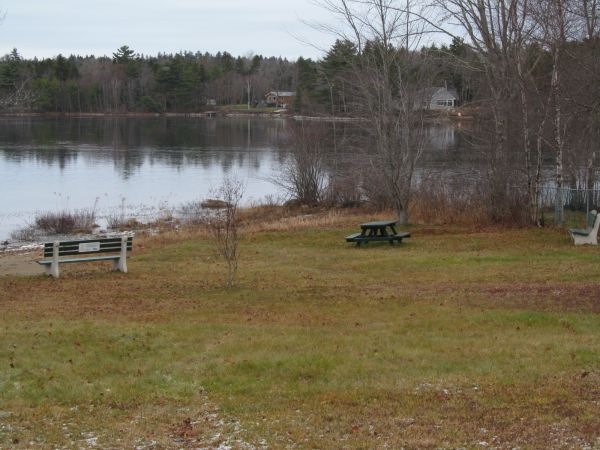
Molega Lake Park is a sweet spot to visit and enjoy an outdoor picnic. This lovely lakeside park offers picnic tables, benches and unsupervised swimming during the summer months. Outdoor privies are usually available.
Address: 564 Molega Lake Road, Molega Lake
Leash your pet. Hunting and trapping are prohibited in all Municipal Parks and Green Spaces. No camping permitted.
Accessibility Statement
Accessibility Service Standards
Provincial government regulations require the Municipality to create and publish accessibility standards (Province of Nova Scotia’s Built Environment Accessibility Standard Regulations). The items below outline the service standards for accessibility.
Snow and ice control
What does this plan apply to?
Pedestrian facilities include municipal sidewalks and crosswalks owned and maintained by the Municipality. It does not apply to pathways, sidewalks and paved shoulders owned and maintained by other entities. It also does not apply to trails that do not receive winter maintenance. Some examples of municipal sidewalks include:
• Trunk 10 from Allée Champlain Drive to Pine Grove Road
• Allée Champlain Drive
When do we take action to manage snow and ice?
When there is a snowfall or icy conditions, we:
1. Respond within a 24-hour period following the end of a storm event. This includes all sidewalks. It also includes parking areas at the municipal services building and recreation facilities that are plowed in the winter such as the MARC.
2. We Clear sidewalks using sidewalk ploughs. We start with sidewalks located in Osprey Village.
3. We also shovel around pedestrian signal buttons so you can reach the buttons.
How can residents learn more or ask questions/provide feedback?
If you would like to:
• Learn more about our snow and ice control processes,
• Give feedback about this plan.
• Tell someone about a snow and ice control problem.
Please contact the Engineering department at :
902-541-1351
This email address is being protected from spambots. You need JavaScript enabled to view it.
Maintenance of parking areas
What does this plan apply to?
This plan applies to parking lots at buildings and outdoor spaces that are owned by the District. Some examples include:
• The Municipal Services Building parking lot on Allée Champlain Drive
What will we do to maintain the accessible parking?
Every spring, municipal staff will assess the accessible parking and decide what maintenance is needed. The assessment will include:
• Accessible parking signage and line and symbol painting so it is clear where to find accessible parking spaces
• The parking area surface (for example, asphalt, gravel) to make sure it is in good condition
• The pathways that people use to get to and from accessible parking spaces in the parking area safely.
How can residents learn more or ask questions/provide feedback?
If you would like to:
• Learn more about our accessible parking maintenance;
• Give feedback about this plan; or
• Tell someone about an accessible parking problem,
Please contact the Engineering department at:
902-541-1351
This email address is being protected from spambots. You need JavaScript enabled to view it.
Plan for accessible entrance
The District must have a plan that tells the public how we make sure barrier free entrances to our buildings stay accessible. This means the entrances are clear and any power door operators are working.
What does this plan apply to?
This plan applies to accessible entrances at our buildings, for example, the Municipal Services Building on Allée Champlain Drive.
What will we do to make sure the entrances stay accessible?
Municipal staff will check accessible entrances as follows:
• Building Entrance Frequency
• Municipal Services Building Main entrance Daily (when open)
What happens when there is a problem with the accessible entrance?
If we find there is a problem with the accessible entrance to one of our buildings, we will:
1. Take action to make them accessible again. This might mean moving an object/debris or changing a door setting.
2. If we can’t fix the problem, we will put out a sign and tell the public using social media, and the Municipal app. We will tell you if there is a different accessible entrance or another way to reach us until we can fix the problem.
How can residents learn more or ask questions/provide feedback?
If you would like to:
• Learn more about our accessible entrances;
• Give feedback about this plan; or
• Tell someone about an accessible entrance problem,
Please contact the Engineering department at:
902-541-1351
This email address is being protected from spambots. You need JavaScript enabled to view it.
Website Accessibility
The Municipality of the District of Lunenburg (MODL) is committed to ensuring our website is as accessible as possible for all users. To achieve this, a new website was created by the Nova Scotia website development company, Municipal Website Venture, and it was audited for barriers throughout the development process, by the Canadian digital accessibility company, Access Changes Everything.
Audit Information
Access Changes Everything conducted a full audit of the public facing website from March to May 2020. This audit consisted of Access Changes Everything using multiple automated checkers, and conducting extensive manual testing. As well, testing was conducted by paid testers with different disabilities, who used different technologies.
This audit was focused on lower barriers on the website for people with different disabilities, such as visual, hearing, mobility, speech, communication, cognitive, neurological, intellectual, learning, and those with multiple disabilities.
Standards Information
This audit was done using the international standard that relates to website accessibility, the Web Content Accessibility Guidelines (WCAG) 2.1 and 2.2 Level AA. Note that Version 2.2 was only in Draft, as of May 2020.
The audit went much further than WCAG 2.1 or WCAG 2.2 (Draft) Level AA. It included items that are not currently included in WCAG, such colour blindness, font type and style, and lessening barriers that impact people with cognitive, neurological, intellectual and/or learning disabilities. The audit also included usability best practices, in order to make the site more accessible and usable for everyone.
The audit included testing of these areas:
- Textual Content
- Image Content
- Video and Audio Content
- Colour in Content and Design
- Page and Content Layout
- Page and Content Design
- Navigation
- Search Functions
- Widgets and Plug Ins
- Forms and Error Mechanisms
- Content Structure
- HTML and CSS Code Use
Testers and Technologies Used
Access Changes Everything paid multiple testers with different disabilities, who use different technologies, to test different parts of the website. The technologies used by testers included the newest, as well as older, versions of:
- JAWS Screen Reader in Chrome and Internet Explorer Browsers (PC)
- NVDA Screen Reader in Chrome and Firefox Browsers (PC)
- Microsoft Narrator Screen Reader in EDGE (Tablet)
- Apple VoiceOver Screen Reader in Safari (iPhone 6)
- Apple VoiceOver Screen Reader in Safari with 40 Cell Braille Display (Mac)
- Apple VoiceOver Screen Reader in Safari with 40 Cell Braille Display (iPad Pro)
- Dragon Naturally Speaking Premium 13 (PC)
Access Changes Everything used Mac, PC and iPhone to test the site with Chrome and Firefox browsers. Certain technologies were used in the audit:
- Browser magnification (100%-400%)
- Colour contrast shifting
- Voice control (iPhone only)
- Small screen (iPhone SE or 5 only)
- Various apps and plug ins for Mac Chrome and Firefox to simulate visual and cognitive disabilities.
Remaining Barriers
Almost all the barriers noted in the audit report were either eliminated, or acceptable workarounds were suggested by Access Changes Everything. However, there were some barriers that could not be fully eliminated. Some of these barriers were found in third party vendor plug ins. Not all vendors, or developers, could make their product more accessible by the end of the audit period. These vendors have been notified, and have been asked to make their plug ins more accessible.
The following barriers in vendor plug ins were noted in May 2020:
- The JCal Pro calendar plug in was used on the Community Events Calendar page. It is from the third party vendor JoomlaShack. The testers with disabilities, and Access Changes Everything’s manual testing, noted that this calendar was complex, and had partial barriers to use. Minor changes were made to the script, and they eliminated some barriers. However, for the remaining barriers, the vendor was unable to make changes to this plug in.
Information could be accessed by testers in the calendar format (month in calendar format button), but it was very difficult and time consuming. The List View option was preferred by testers for ease of use. Another issue noted by testers was that the calendar date picker was not accessible, or was partially accessible.
The workaround was to make the List View as the default mode for everyone, and a button can be pressed to change into the calendar by month format mode. Plus, text was added at the top of the page to explain that the calendar can be viewed in calendar or list format (to make it more clear there were two formats available), and that the months could be chosen by going month to month, or using the date picker (located in the middle of the two month buttons and just indicated by a down arrow).
One other issue noted with this calendar plug in was that the colour contrast of grey on grey for months (example: May 2020 and July 2020 noted on the June calendar) did not pass the WCAG 2.1 AA colour contrast ratio. - The main search box at the top of each web page was created by Google. This Google Search mechanism was chosen because testers preferred it over the original search mechanism. However, the search box was created by Google in a table, and it lacks a full label. Testers were able to access the search box, and perform searches, even with these barriers. No workaround was suggested, as Google is responsible for this product.
- The slide show slider widget used on the Main Page, created by the third party vendor Smart Slider 3, was tested and audited. However, a change was made to the script after this full audit was completed. Limited testing by done by Access Changes Everything. However, two testers with different disabilities, using screen readers, tested the new slider mechanism and no barriers were noted.
- The plug in DJ-Megamenu, by third party vendor DJ-Extensions, is currently not fully accessible. This plug in was used for the main menu area (including the hamburger menu on mobile, small screens and magnification over 125%). Minor fixes were made, but it may appear ‘jumpy’ and be hard to use for those who are on mobile, small screens, use magnification over 125%, and/or for those who have limited mobility and/or cognitive, neurological, intellectual and/or learning disabilities. The vendor has been contacted.
- The plug in DOCman, by third party vendor JoomlaTools, has been used on certain web pages to dynamically generate content. It also creates a ‘container’ or layout, for this content on the web page. For example, a table was formed by DOCman for the layout of PDF links on the Building Permits and Associated Forms page. The table has an empty column and no table header, and this could provide a barrier to screen reader users, who have limited or no sight. A table should not have been used for this content. Instead, a list should have been created for the PDF links. In all cases where DOCman is active, the content itself can still be accessed, but it is made slightly more difficult. The vendor has been contacted, and this is being explored.
- The DOCman plug in also generates main title headings on each page of the website. All have been given a Heading 1 designation in the HTML code (<h1>). However, screen reader users may hear a space before and after the title. These spaces are created by the plug in. The vendor has been contacted, and this is being explored.
- The OSMap plug in, by third party vendor JoomlaShack, was used to create the Site Map content. In the audit, it was noted that there were no headings for categories of links, in the very long link list (<h2>). The Site Map information can still be accessed, even without these headings. However, the vendor has been notified about the changes requested.
There were other barriers found that were not part of vendor plug ins. These are being worked on by MODL, as MODL is continually seeking solutions to make their website barrier free. These were the non-vendor related barriers found in May 2020:
- All PDF documents on the website need to be remediated, as they may not be accessible for users. This is a priority item. Workaround suggested by Access Changes Everything is that users contact MODL for alternate documents and/or content, until barriers can be eliminated.
- The top banner area with links (Contact, Skip to Content, Site Map, Home) is harder to read if magnification of 400% is used. The four individual links (three on the home page) are harder to distinguish from each other at this magnification level. No workaround proposed, but this will be reviewed in future.
Contact Us
The website audit found many barriers, and these have been eliminated. However, the website will be constantly updated, and new barriers may unknowingly be created. If you find barriers, or need accommodations, please contact us.
Report It
I Want To...
Report
 Report
 Register
 Read
ReadApply
 Apply
Apply
- Building Permit
- Criminal Record Check
- folder Demolition Permit
- Employment Opportunities
- FOIPOP Requests
- Grants
- PACE Program
- Property Tax Exemption
- Private Road Association
- PRO Kids
- Senior Rebate
- Sewer Connection
- Streetlights
- Subdivision
- Tax Certificates
- Water Connection
- Zoning Confirmation Certificate
Project Updates
Accessibility
MODL has partnered with the Town of Bridgewater, Town of Mahone Bay, Town of Lunenburg and the Municipality of the District of Chester to form a Joint Accessibility Advisory Committee. This committee provides advice to the municipal councils in Lunenburg County on identifying, preventing and eliminating barriers to people with disabilities in municipal programs, services, initiatives and facilities. The committee plays a pivotal role in helping the municipalities to become barrier-free communities that complies with Nova Scotia’s Accessibility Act (2017).
Visit the Accessible Lunenburg County website.
Important Documents
pdf Lunenburg County Accessibility Plan(344 KB)
pdf Joint Accessibility Advisory Committee Terms of Reference(2.05 MB)
Residents
We are a community of communities each with a unique history representing a diversity of cultural backgrounds and a mix of suburban and rural opportunities. We enjoy healthy lifestyles rooted in unrestricted access to the natural beauty of our region’s coastline, lakes and forests, a pristine environment and high quality community services. Learn more about our services for residents.
Public Engagement
Residents are encouraged to voice their opinions, thoughts, and ideas about Municipality's services and our community. We encourage you to attend Council meetings, open houses, public workshops, and participate in surveys that let Council members know what you're thinking on a number of topics.
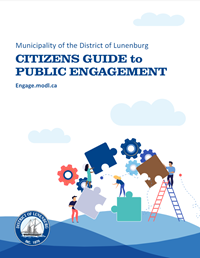
Our pdf Citizen's Guide to Public Engagement(1.28 MB) explains all the ways in which residents can keep informed, engage, and provide input to Council.
You can also read our pdf Public Engagement Strategy(537 KB) to learn more.
Current Public Engagement Opportunities
- Visit our public participation website, Engage MODL, at https://engage.modl.ca/ to view and participate in current opportunities.
- If you would like to speak with someone about a municipal issue, we encourage you to reach out to your Councillor, attend the public hearing portion of an upcoming Council meeting, Policy & Strategy Committee meeting, or Finance meeting. Community groups are also able to make a formal presentation at the above meetings.
- Please visit our new engagement website, Engage MODL, to view all current and past public participation opportunities.
Criminal Record Check
In December 2025, Council eliminated the cost of criminal record checks for employment as a way to reduce financial barriers for residents seeking work. This change reflects the Municipality’s commitment to fairness, inclusion, and reducing barriers that may disproportionately affect those facing financial constraints.
The following applies to residents of the Municipality of the District of Lunenburg.
If you require a criminal record check for work or volunteering, it can be obtained free of charge at your local RCMP detachment.
Please take the following items to your local RCMP detachment:
- Two pieces of Government-issued I.D., one must have your photo, original and unaltered.
- Self-addressed stamped envelope.
Once completed, your criminal record check will be mailed back to you in the envelope you have provided.
There is no charge for criminal record checks.
Emergency Preparedness (REMO)
Visit lunenburgremo.ca for Emergency Information.
Regional Emergency Management Organization
The Municipality of the District of Lunenburg, the Municipality of the District of Chester, the Towns of Bridgewater, Mahone Bay and Lunenburg have signed an Inter-Municipal Emergency Services Agreement to provide a coordinated response to an emergency occurring within Lunenburg County. These five units under this Agreement share the responsibilities of emergency preparedness, planning, response, and recovery when possible and appropriate.
Emergency Management Coordinator
On-Call Phone (902) 930-1085 or After-Hours Call (902) 543-8650
Police, Fire and Ambulance - Dial: 911
RCMP
Phone (902) 634-8674 - Lunenburg Detachment
Phone (902) 527-5555 - Bridgewater Detachment
Links
- Local Weather Forecast (Environment Canada)
- Canadian Hurricane Centre (Environment Canada)
- Nova Scotia Power Outage Information